0–1 product strategy, brand, application, and launch
An independently created image-markup product, from naming and identity to a working application, subscription strategy, and live launch-waitlist site.
About
Explaining a small change can become a project of its own: capture an image, mark it up, write the instruction, find the reference, and assemble everything into something another person can act on.
Deadmark began with my experience reviewing physical-product samples. I saw the same underlying job extending to photography, artwork, and merchandise: communicate what needs changing without rebuilding the explanation across several tools. That broader audience is a direction to validate, not an assumption of product-market fit.
My role
I’m the founder and sole product designer, responsible for the experience from first impression to exported document. My scope includes product strategy, naming and logo direction, identity, UX/UI, interaction design, design systems, product and marketing copy, subscription strategy, and the launch experience. I used AI-assisted engineering to build and iterate on the application and marketing site, with Figma and shared design tokens supporting the interface system.
This was not a UI assignment with a predefined brief. I owned what the product should do, how it should feel, how to explain its value, and what someone would pay for. Working in the real application connected those decisions to implementation constraints, error states, persistence, and the quality of the final document.
**Current stage:** Working authoring/export MVP; public waitlist launched. Paid onboarding and customer validation remain in progress.
Solve the handoff, not another collaboration platform.
The first opportunity was easy to describe as “comments on images.” But circles and text fields were only part of the problem. The more useful job was connecting the location, requested change, and supporting reference—and keeping those relationships intact when the feedback left the app.
You'll also notice here the initial app was called Vizz, before I did a full competitive analysis and name conflict search.
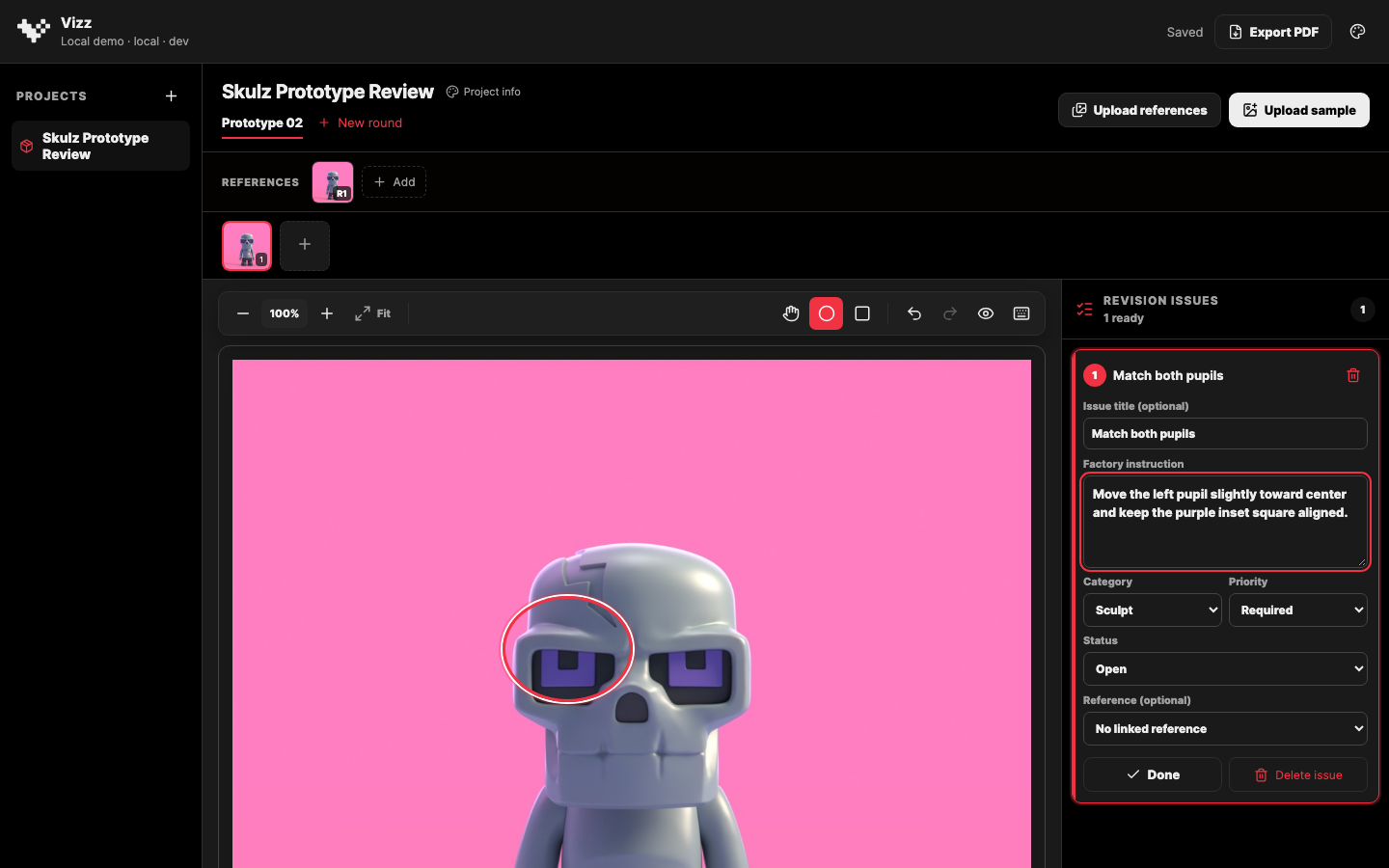
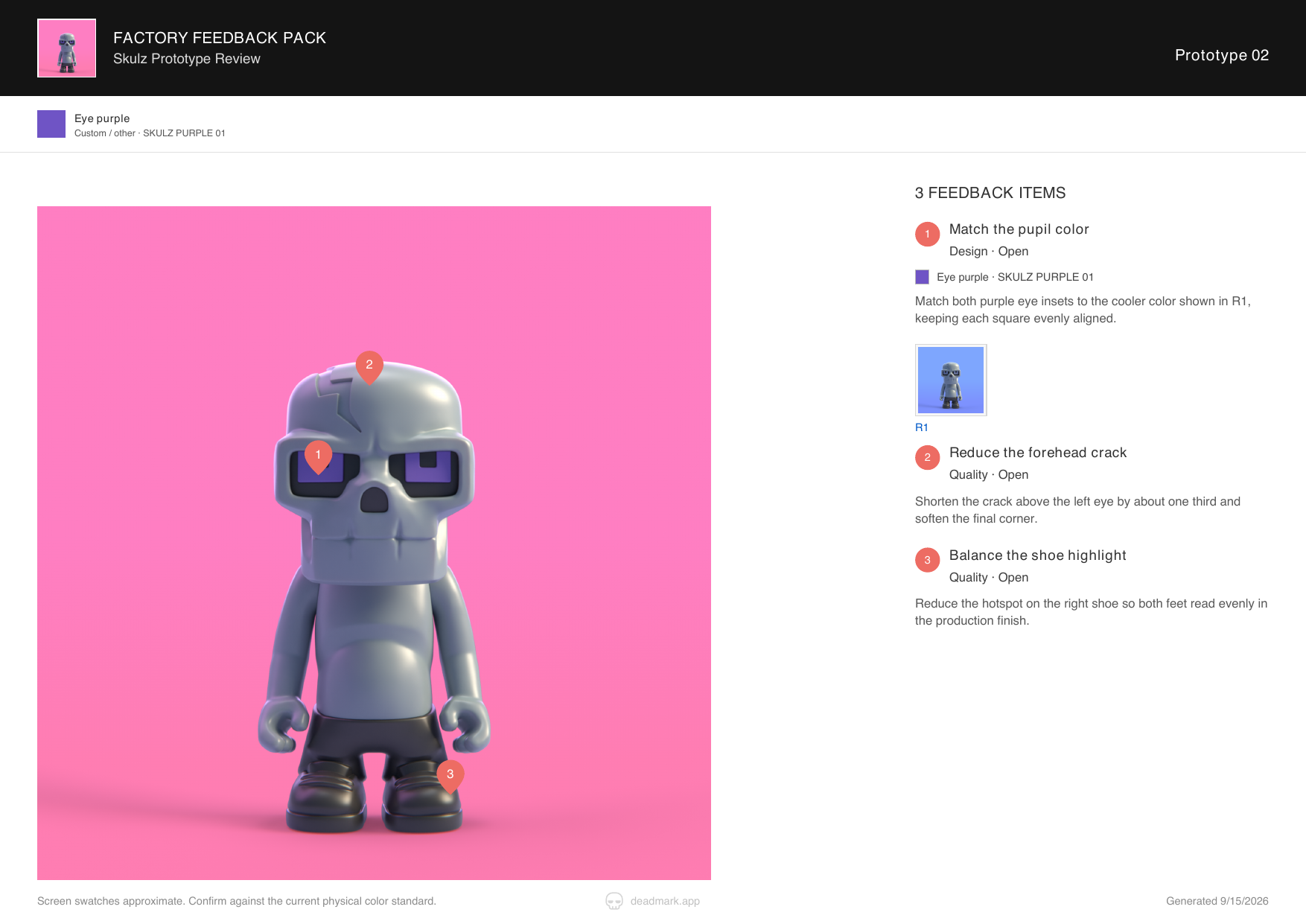
I chose a one-way PDF handoff for the MVP. The author works in Deadmark; the recipient gets a document through the email or messaging channel they already use. That removes the need to onboard both sides before the product can be useful.
The tradeoff is deliberate: the MVP does not provide recipient acknowledgements, discussion threads, or live approval tracking. It concentrates on making feedback ready to send. Numbered marks connect to written instructions, references remain linked in the exported document, and physical color specifications retain their written codes rather than relying on screen color alone.
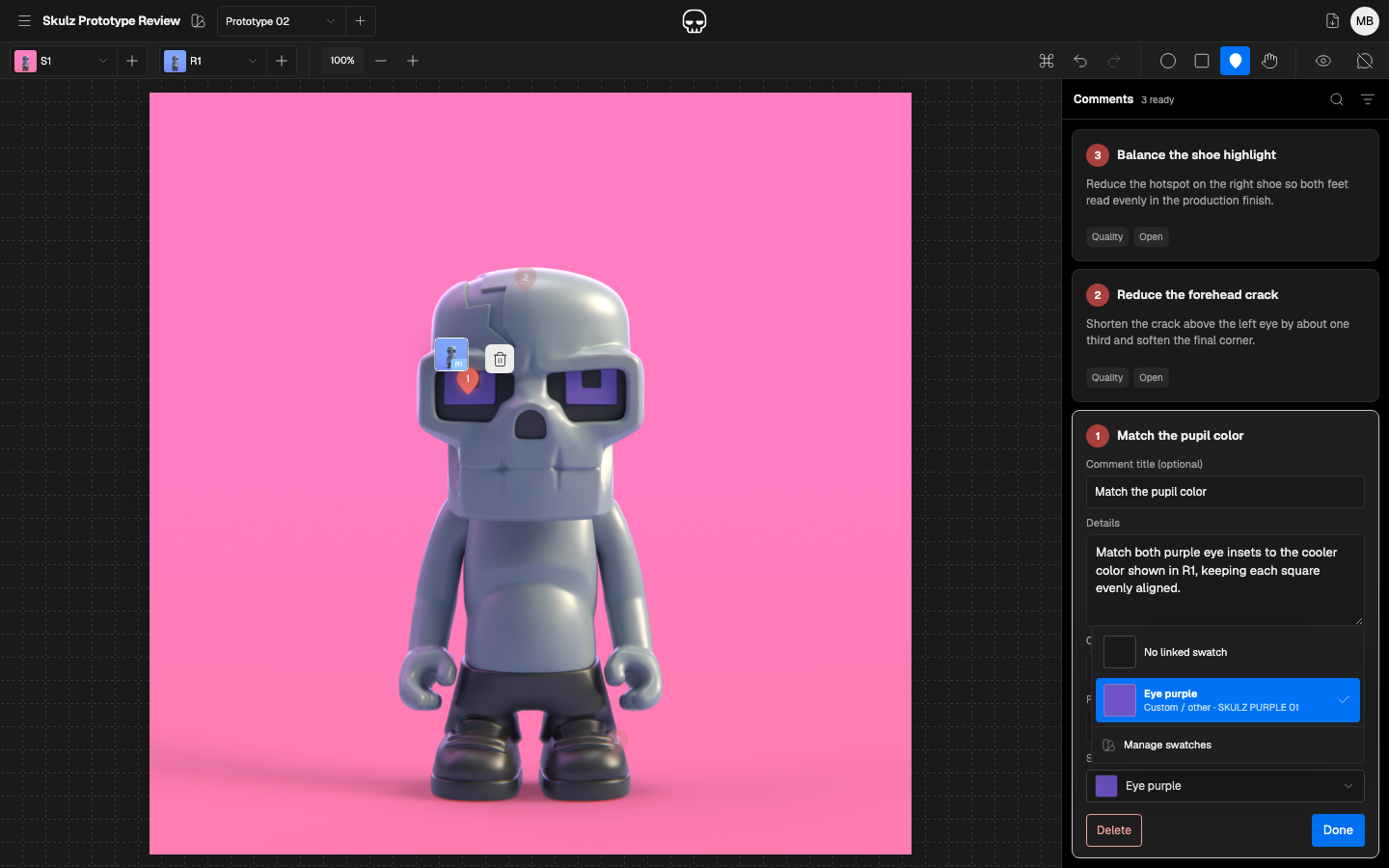
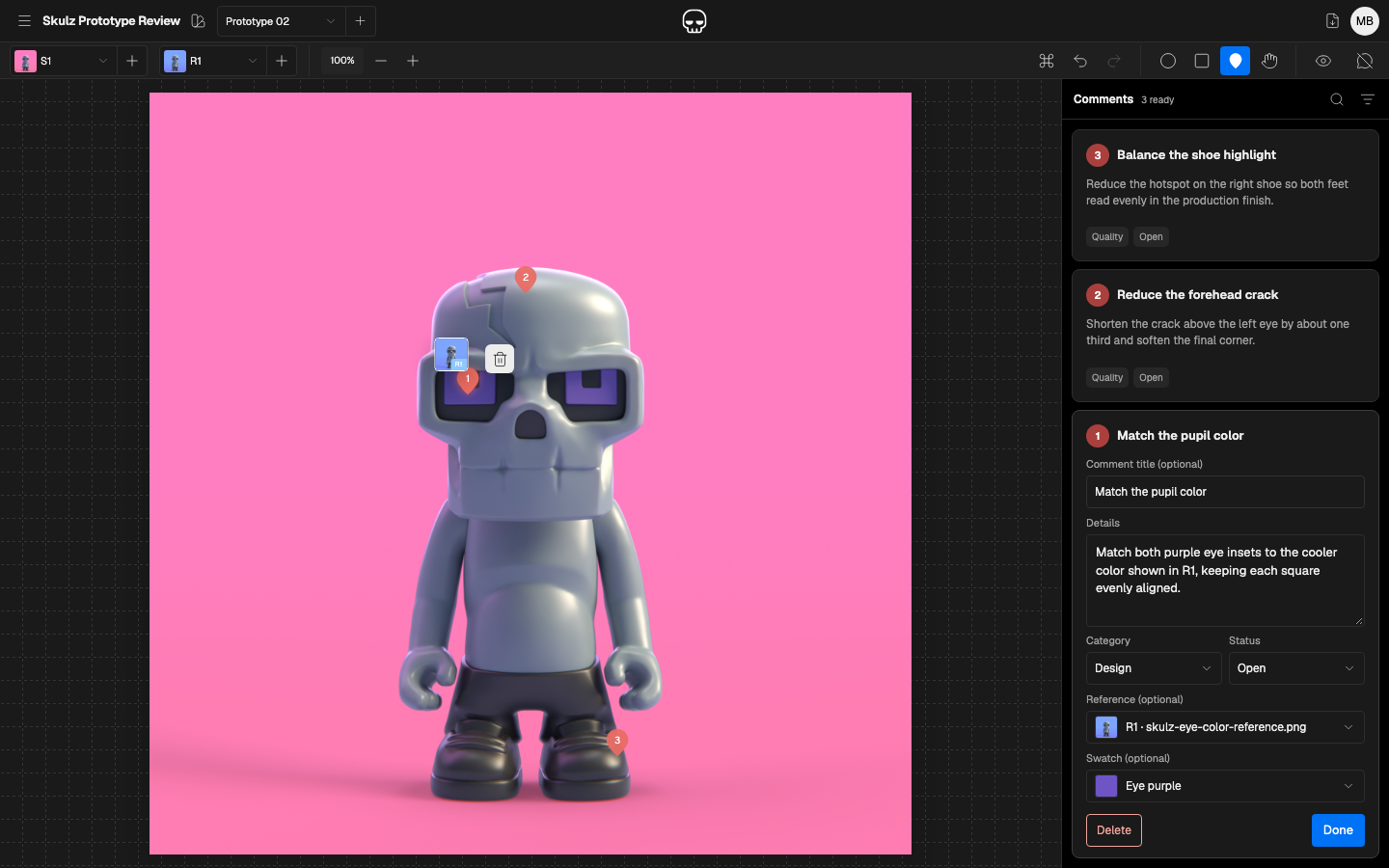
The image is the workspace.
The first functional version crowded the image with stacked navigation, repeated upload controls, and a persistent project rail. I consolidated the interface into a compact header and toolbar, moved asset switching into dropdowns, and made project navigation an overlay that no longer shifted the canvas.
That separation followed the task: switching projects is occasional navigation; reading and editing comments is part of the work. The project drawer overlays the workspace, while the comments panel receives its own space beside the image.
I also revised the authoring model. “Factory instruction” became neutral comment fields, project-owned categories replaced a fixed taxonomy, and a mandatory priority field was removed. These changes kept useful structure without asking every photographer, designer, or maker to adopt a factory-specific vocabulary.
Markup behavior needed to earn its familiar appearance. Resize handles became functional, regions could be moved directly, and point pins addressed exact locations without drawing an unnecessarily large shape. Each refinement was evaluated in the working interface, not just as a static screen.
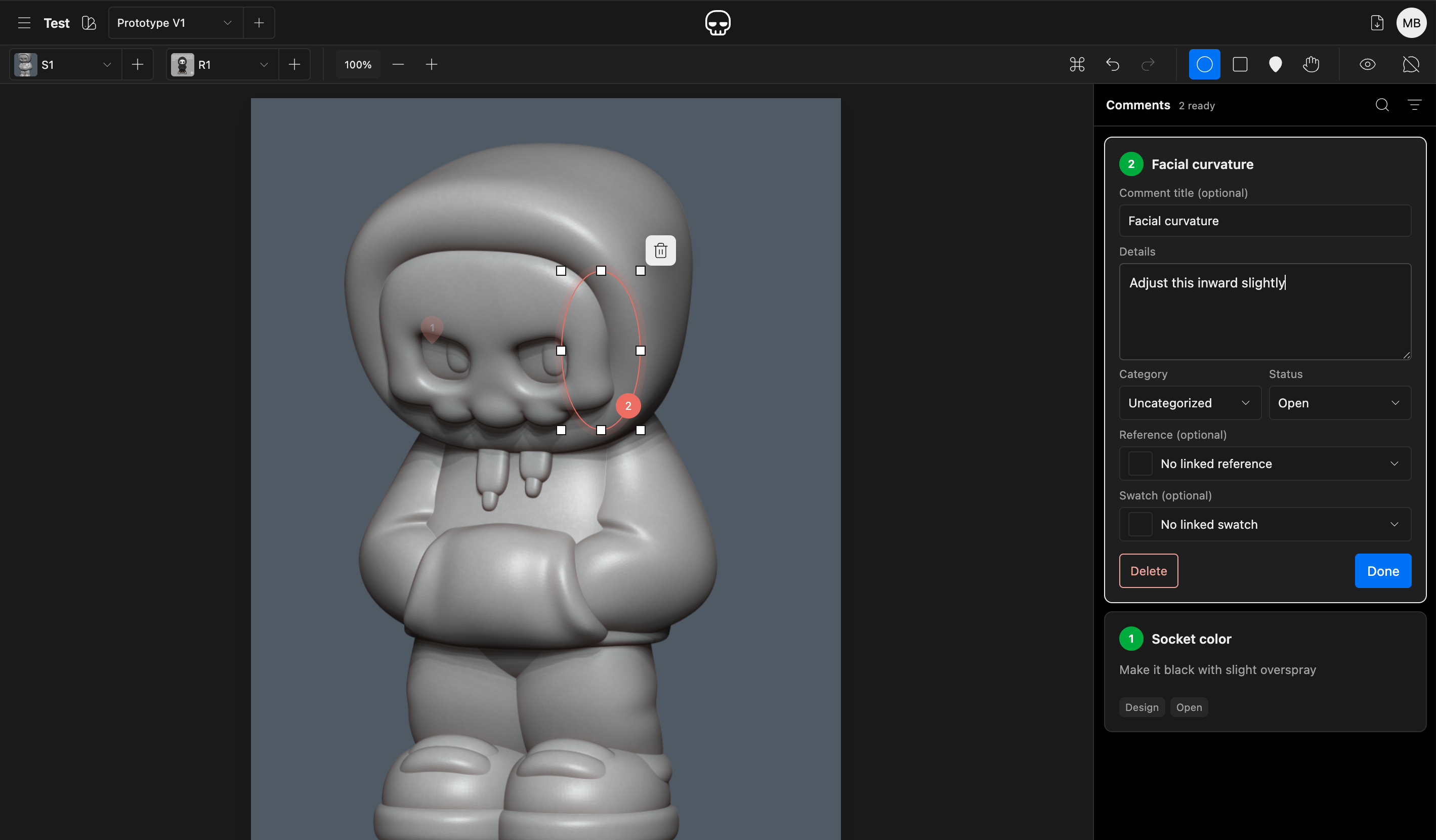
Challenge every UI element's reason to exist
A “Last saved” timestamp looked helpful, but it described the latest save anywhere in the workspace—not whether the open comment was safe. Interruption testing exposed the underlying problem: a new mark or unfinished comment could disappear before the editor was closed.
I changed the requirement from displaying reassurance to preserving work. Completed drawing gestures create recoverable drafts; comment text saves after a short typing pause. Done closes the editor rather than acting as a save gate. Incomplete drafts remain available in the workspace but are excluded from the PDF, and save failures stay visible.
Asset management needed a different kind of protection. Deleting an image can affect its comments; deleting a reference can affect links elsewhere in the project. I kept routine switching separate from management, added recoverable Trash, and isolated permanent deletion behind explicit confirmation that explains what will be lost and what will remain.
The exported document received the same attention. Reference thumbnails sit beside the instructions they support and link to the appendix. Optional customer branding leads the document, while Deadmark’s attribution stays quiet in the footer. The recipient experience is part of the product—not an export afterthought.
Connect the identity, the promise, and the paid experience.
Deadmark’s identity grew from a clear target: “Death to revision hell.” The attitude is aimed at tedious work, not the people giving or receiving feedback. A skull-led identity and expressive display typography give the marketing character; the application stays restrained so the image and instructions remain the focus.
The launch page pairs that personality with a literal explanation: mark an image, add notes and references, export a PDF. Examples across photos, artwork, and samples show the shared job without relying on a long list of features.
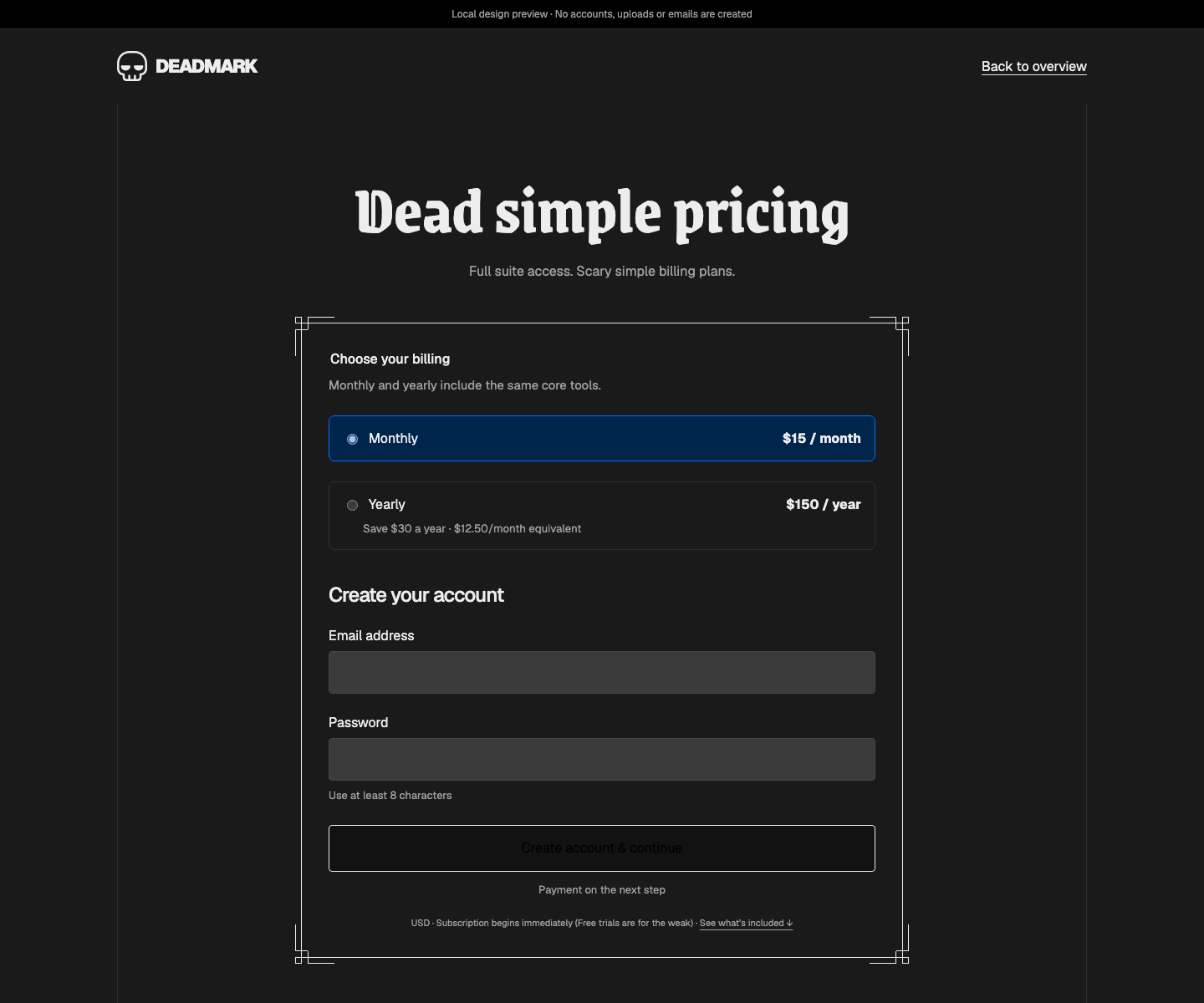
I also defined the subscription and acquisition model. The proposed offer uses one plan with monthly or annual billing, with subscriptions managed on the web and a future iPad companion using the same access. This keeps the commercial experience connected instead of creating a second subscription entry point on another device.
For acquisition, I chose a recorded demonstration and a sample PDF over a maintained interactive demo. The concern was that a short trial could cover an entire one-off feedback job without testing willingness to pay; a demo also introduces its own support and maintenance work. The current paid-entry design brings plan selection and account creation together before checkout and the first project. The tradeoff is less hands-on evaluation before purchase—a hypothesis to test, not a proven conversion strategy. Payment integration remains ahead of the designed flow.
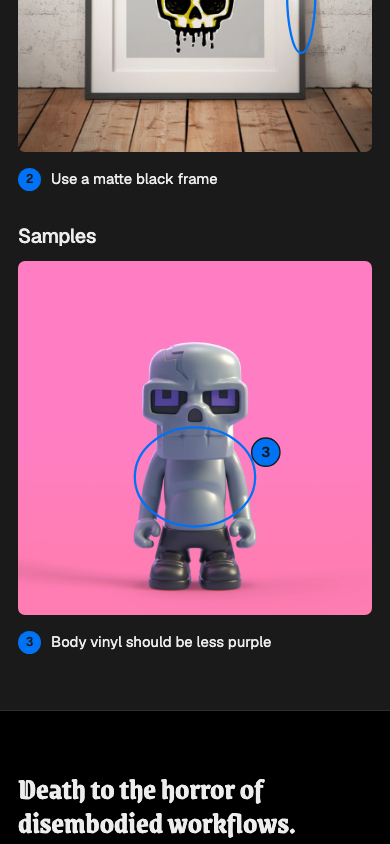
Mobile introduced a useful correction. A full desktop workbench was too small to explain the product on a phone, so I used focused illustrative close-ups with readable marks and instructions. These explain the workflow; they are not presented as screenshots of a mobile app.
The waitlist site launched in September 2026, creating a public starting point for the product and its audience. The application’s authoring and export flow has been exercised through self-testing, automated checks, and visual review. Those are implementation milestones, not evidence of customer impact. The next step is testing whether creators can prepare a sendable document unaided, whether recipients can interpret it without clarification, and whether repeated use supports a subscription.
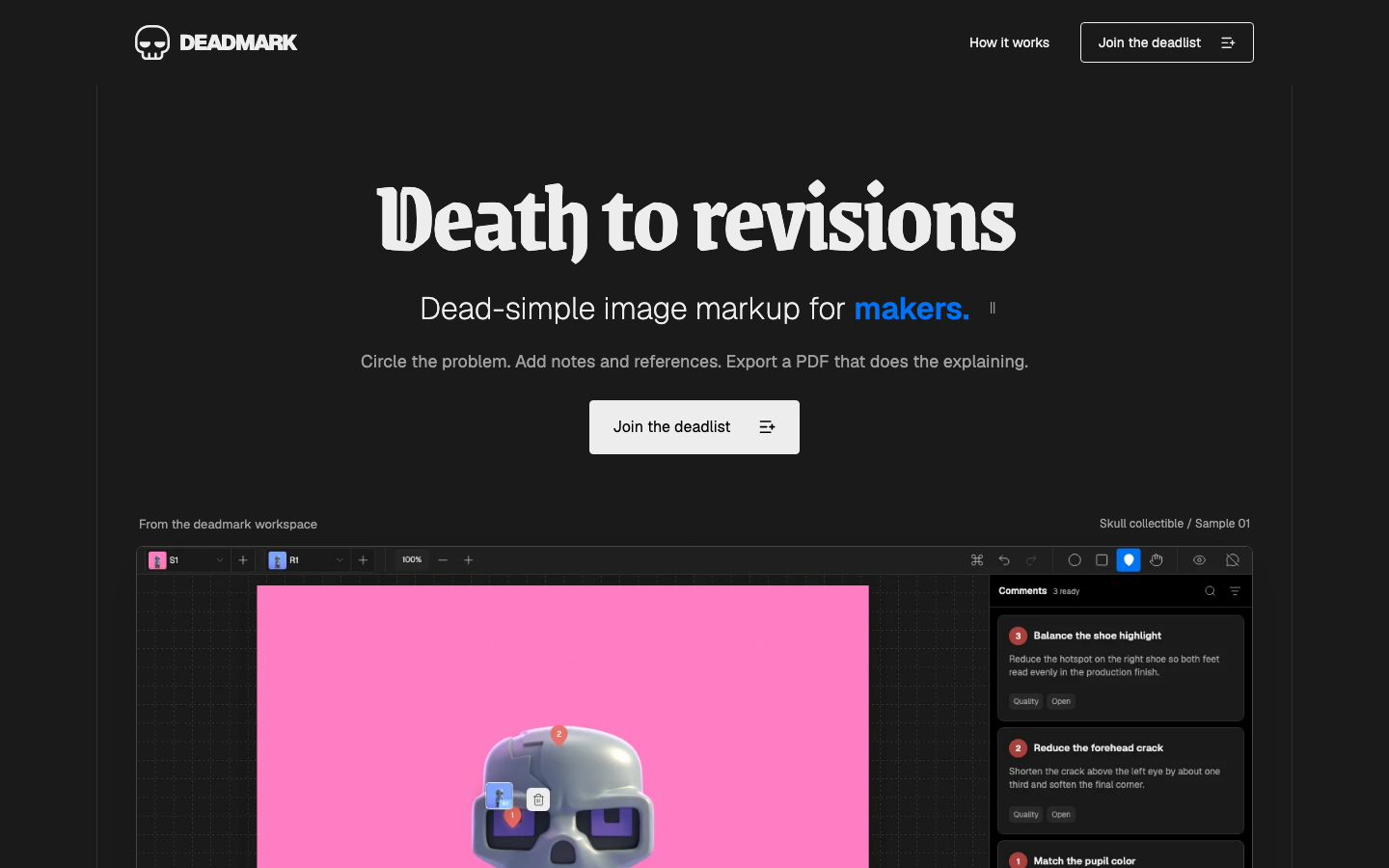
Deadmark brought product strategy, brand, interaction design, implementation, and commercial thinking into one continuous practice. The promise on the landing page has to hold up in the workspace, the document, and the decision to pay. Owning all of those surfaces meant treating each as part of the same product—not separate deliverables.